


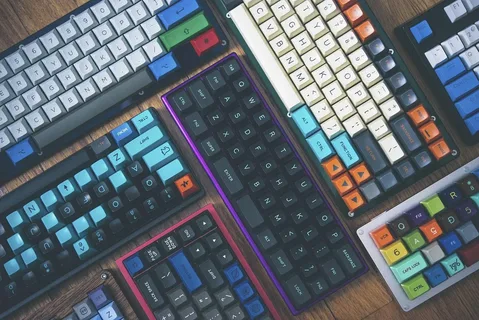
As technology continues to evolve, so do the tools we use to interact with our digital environments. One such innovation that is rapidly gaining traction is the keyboard with display, a multifunctional device designed to enhance productivity, improve workflow, and redefine user interaction. This article explores the role of keyboards with displays in smart workspaces, how they contribute to a more efficient and personalized work environment, and the potential they hold for the future of office technology.
What Are Keyboards with Display?
A keyboard with display is an advanced input device that integrates a small digital screen directly into the keyboard’s layout. This screen can display various types of information, such as function keys, customizable shortcuts, notifications, or even multimedia content, depending on the user’s needs. The combination of a tactile keyboard with a dynamic visual display allows for greater versatility in managing tasks and workflows.
Key Features of Keyboards with Display
- Customizable Functionality
The display can adapt to show different keys or shortcuts based on the application or task at hand. For example, in design software, the display might show color palettes, layer options, or tool selections. In coding environments, it can display commonly used code snippets or variables. This level of customization enhances efficiency and minimizes the need to switch between different windows. - Multitasking Support
With a display embedded in the keyboard, users can access real-time information and notifications without needing to take their eyes off the screen. For instance, the keyboard can display messages, calendar reminders, or system alerts, keeping the user focused on their tasks. - Interactive Feedback
The display can provide feedback on user input. For example, it might highlight specific keys when activated or change its content dynamically based on what the user is doing. This immediate feedback enhances the user experience by creating a more responsive and intuitive interface.
How Keyboards with Display Contribute to Smart Workspaces
1. Streamlining Workflow
In a smart workspace, efficiency is key. Keyboards with displays allow users to streamline their workflow by integrating contextual information and tools directly into the keyboard. Instead of switching between different programs or applications, workers can access essential controls right at their fingertips. Whether it’s managing emails, handling complex software features, or accessing collaborative tools, the presence of a dynamic keyboard display allows users to perform tasks more seamlessly.
2. Reducing Clutter and Optimizing Space
A smart workspace thrives on organization and minimalism. Keyboards with displays help reduce desktop clutter by consolidating multiple functions into a single device. With customizable displays, users can view multiple elements at once—such as taskbar notifications or media controls—without the need for extra screens or devices. This makes the workspace more efficient, aesthetically pleasing, and clutter-free.
3. Enhancing Collaboration and Communication
In modern work environments, collaboration is often digital, with teams working remotely or across various locations. Keyboards with displays contribute to this by offering real-time communication features, such as notifications, chat windows, or virtual meeting links, right on the keyboard. This immediate access to communication tools makes collaboration smoother, allowing teams to stay in sync without interrupting their workflow.
4. Increasing Accessibility and Personalization
One of the greatest advantages of keyboards with displays is their adaptability. These keyboards can be personalized to fit the specific needs of individual users, providing a more intuitive experience. For instance, users with accessibility needs can customize the keyboard’s visual elements for easier navigation or adjust the keys to suit their preferred language or input method.
The Future of Keyboards with Display in Smart Workspaces
As technology advances, the role of keyboards with display in smart workspaces is likely to expand even further. The integration of artificial intelligence (AI) and machine learning could allow these keyboards to offer predictive features—anticipating the user’s needs and adapting the display accordingly. With the rise of remote work and hybrid office models, keyboards with displays will likely become more ubiquitous, offering employees greater flexibility, ease of use, and productivity.
Key Takeaways
- Keyboards with display integrate a screen into the keyboard, allowing for customizable shortcuts, real-time notifications, and multitasking capabilities.
- These keyboards contribute to a more efficient, organized, and personalized smart workspace, enhancing user interaction and collaboration.
- As technology progresses, the role of keyboards with display in the workplace will continue to evolve, offering even more advanced features that support both individual and team productivity.
In conclusion, keyboards with displays are not just a novelty but a powerful tool in creating a more efficient, dynamic, and responsive workspace. As part of the broader trend towards smarter work environments, these innovative keyboards play a crucial role in shaping the future of digital productivity.
